
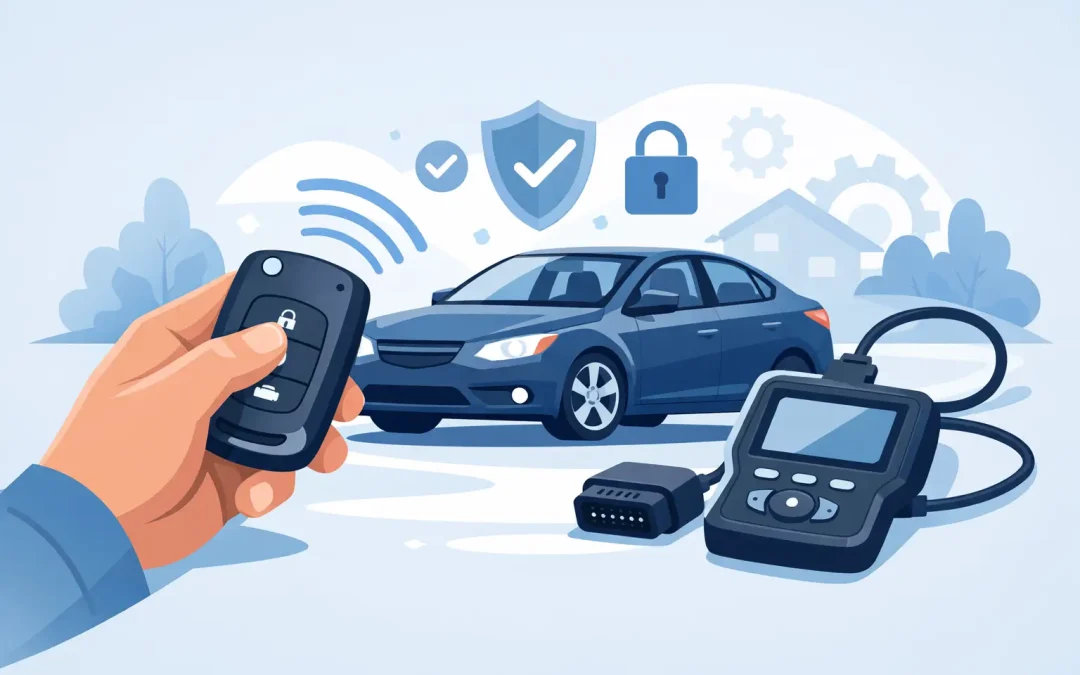
A replacement remote can look simple, but it is usually part of your vehicle’s security system. If you are searching for “how to program replacement car remote,” the right answer depends on whether the remote only operates the locks or also contains a transponder chip that allows the engine to start. Getting that difference right can save you from buying the wrong remote, wasting time on a failed programming attempt, or being left with a vehicle that still will not start.
What a Replacement Car Remote Actually Does
Many drivers use the word “remote” for any key fob, but there are several different setups. An older vehicle may use a separate remote for locking and unlocking, alongside a standard metal ignition key. In that case, programming may be possible at home through a sequence of turning the ignition on and off and pressing buttons on the remote.
Modern vehicles are more complicated. A remote head key, flip key, smart key, or proximity fob may contain a transponder or encrypted chip. The remote buttons can sometimes be synchronized separately, but the immobilizer chip normally needs specialist programming before the vehicle will recognize it as an authorized key.
This matters because a remote that unlocks the doors is not automatically a working vehicle key. If the engine starts briefly and then cuts out, or does not start at all, the transponder has likely not been programmed correctly.
Before You Try to Program a Replacement Car Remote
Start by checking the part number on your existing remote, where possible. The replacement needs to match more than the vehicle make and model. Button layout, frequency, chip type, blade style, and electronic configuration can all vary between model years and trim levels.
A remote may look identical to yours but still be incompatible. This is especially common with used remotes purchased online. Some can be reused after proper preparation, while others are locked to the first vehicle they were programmed to and cannot be transferred. A cheap remote that cannot be programmed is not a bargain.
You should also check the battery. A weak battery can make a correctly programmed remote appear faulty. Fit the right battery type, ensure the contacts are clean, and make sure the buttons are not damaged or sticking.
If you still have one working key, keep it safe and use it only as required during programming. Do not leave it inside the vehicle after you finish. A working key is often the easiest route to making a spare, while losing every key can make the process more involved and more expensive.
How to Program a Replacement Car Remote at Home
Some vehicles allow remote-button programming without diagnostic equipment. The exact method is vehicle-specific, so use the instructions for your model rather than relying on a generic video or a sequence meant for another car.
The usual process places the vehicle into programming mode through the ignition, central-locking switch, driver door, or a combination of these. You then press a button on each remote you want the vehicle to remember. The locks may cycle or the indicators may flash to confirm that the remote has been accepted.
Before starting, close all doors, sit in the driver’s seat, and have every remote you want to use with you. On certain vehicles, entering programming mode can erase existing remotes. If you only program the new one, an older working remote may stop operating until it is added again.
Do not force the process if the car does not respond after one or two careful attempts. Repeating the wrong sequence can drain the battery, create confusion about what has already been programmed, and waste an afternoon without solving the problem. It may simply be a vehicle that requires diagnostic programming.
Remote Programming Is Not the Same as Key Programming
This is the point that catches many people out. A do-it-yourself procedure may pair the lock and unlock buttons, but it may not program the immobilizer chip. Your replacement can appear to work perfectly until you try to start the engine.
For transponder keys and smart fobs, a locksmith uses dedicated programming equipment to communicate with the vehicle’s security module. Depending on the make, model, and security system, this may involve reading security data, adding a key through the diagnostic port, or carrying out more advanced work. The correct approach depends on the vehicle, not on a one-size-fits-all method.
When DIY Programming Is Worth Trying
A home programming attempt makes sense when you have a confirmed compatible remote, a working original key, and model-specific instructions that clearly state owner programming is supported. It can be a practical option for an older vehicle with a separate central-locking remote.
It is less suitable when you have lost all keys, own a newer push-button-start vehicle, need a laser-cut or high-security blade, or have a van with stronger security features. These situations often require specialist equipment and proof of ownership before a new key can be created and programmed.
The same applies if the original remote has suffered water damage, has intermittent buttons, or has been dropped hard. Programming a new remote may not fix an underlying fault in the vehicle receiver, door lock module, ignition system, or wiring. A proper diagnosis avoids replacing parts that were never the problem.
Signs You Need a Vehicle Key Specialist
Call a specialist when the replacement remote will not enter programming mode, the vehicle does not recognize the key, or the engine will not start after remote synchronization. You should also seek help if every key is lost, a key is stuck or broken in the ignition, or the locks have been damaged.
A mobile automotive locksmith can normally cut the blade, supply the correct remote, program the transponder, and test every function at your location. That means checking lock and unlock buttons, remote range, the emergency blade, central locking, and engine starting before the job is complete.
This is often more convenient than arranging recovery to a dealership, particularly when the vehicle is parked at home, at work, or on a job site. For drivers who rely on a van every day, reducing downtime is usually worth more than spending hours attempting a method that is not supported by the vehicle.
A professional should also use non-destructive entry methods when keys are locked inside the vehicle. Breaking a window or forcing a lock can turn a straightforward key problem into an expensive repair. Proper tools and experience protect the door, lock, glass, and vehicle security system.
Choosing the Right Replacement Remote
The safest choice is a remote supplied or verified against your vehicle identification details and existing key information. A specialist can identify whether you need a basic remote, remote head key, flip key, smart key, or proximity fob, then confirm the correct chip and frequency before programming begins.
Be cautious with second-hand keys. Even if the case is in good condition, the electronics may have been previously programmed, damaged, or fitted with the wrong board. A new replacement is often the more reliable option, especially when the vehicle is needed for work or family transport.
It is also wise to ask for a spare before your last working key fails or goes missing. Making an additional key while one working key is available is usually simpler than creating a key from scratch after a total loss. Keep the spare somewhere secure away from the vehicle, not in the glove box or attached to the same key ring.
A Better Way to Avoid the Next Key Emergency
Once your replacement remote is working, test it regularly and replace the battery at the first sign of reduced range or inconsistent operation. Do not wait until the remote fails outside your home, at a store parking lot, or before an early shift.
The best time to arrange a spare is when there is no emergency, no recovery truck, and no pressure to get moving. A correctly matched, cut, and programmed backup key gives you a simple way back into your vehicle and keeps a small remote problem from becoming a lost-key crisis.

Recent Comments